
FOR GOLF COURSES
See everything on the course, truly manage service quality
One system for caddies, staff and management, on the smartphones and tablets your team already has. No equipment to buy, no need to overhaul how you work.
01
Live view of the whole course
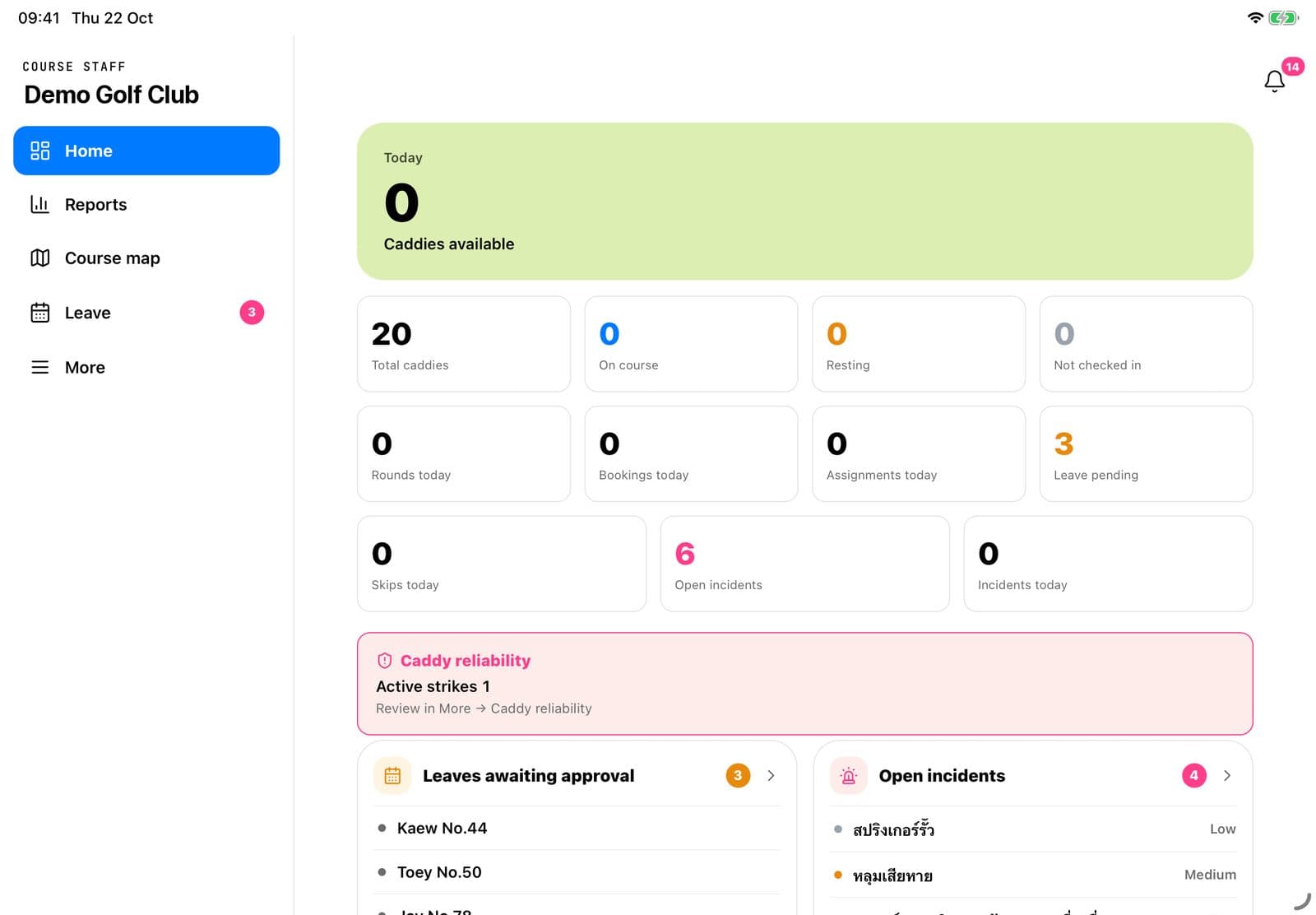
Who has checked in, which groups have teed off, which hole they are on, who is slow, and what has happened.
02
Disciplined, measurable caddies
Check-ins, customer ratings, no-shows and history, all in the system.
03
Golfers arrive, and on time
Directions to the entrance, check-in on arrival, and confirmation that they have met their caddy.
One system for every role on the course
Each person sees only their own work, and everything connects automatically.
Owner
Staff appWeb adminKnow how the course is doing every day, without waiting for reports or phone calls
Overview and reports on your phone; course settings on the web
Course manager
Staff appWeb adminSpot problems before guests complain; every issue has an owner and a record
Every task on the course, caddy document review, closing incidents
Caddy master
Staff appNo more shouting the queue; fair dispatch nobody can dispute
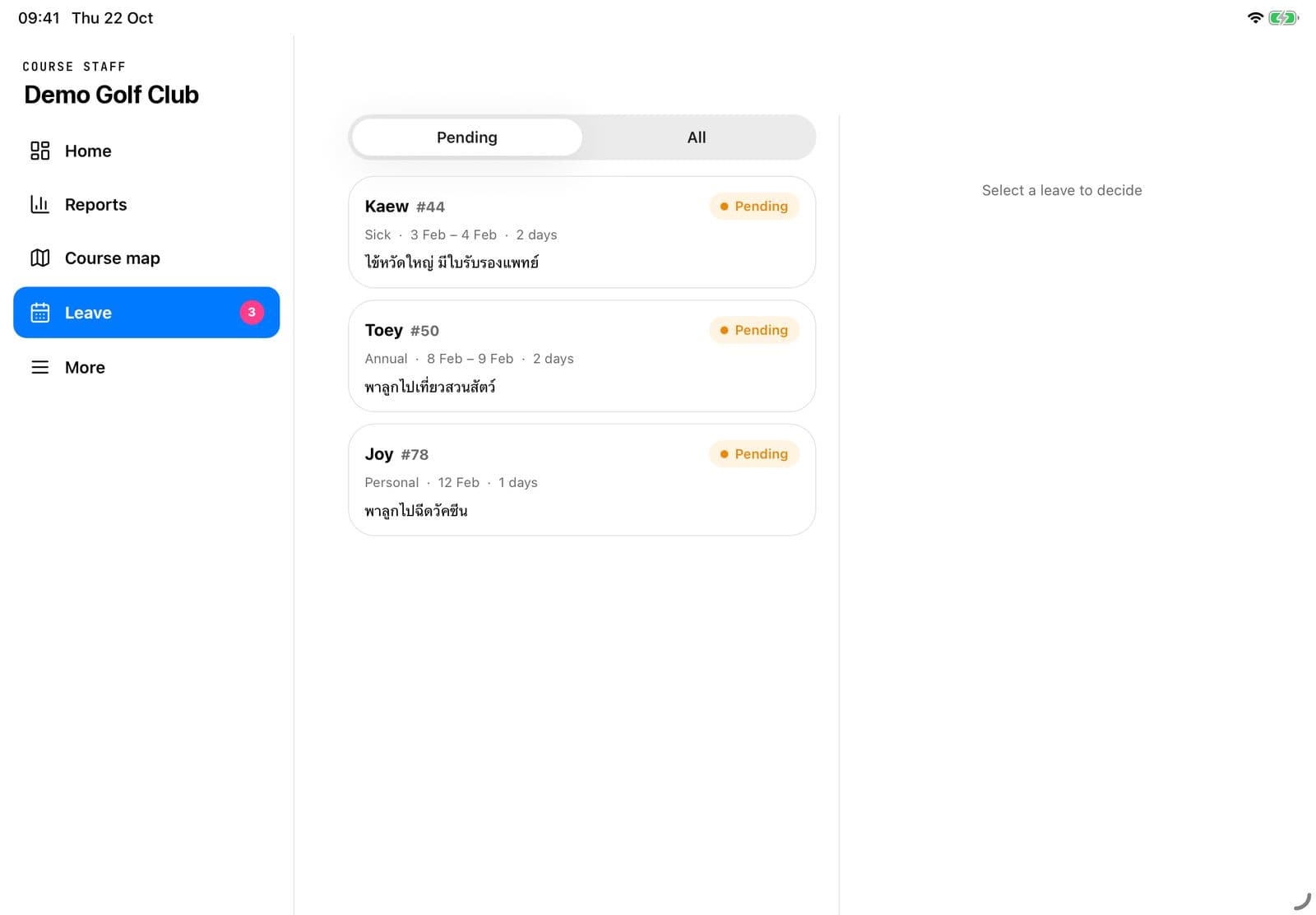
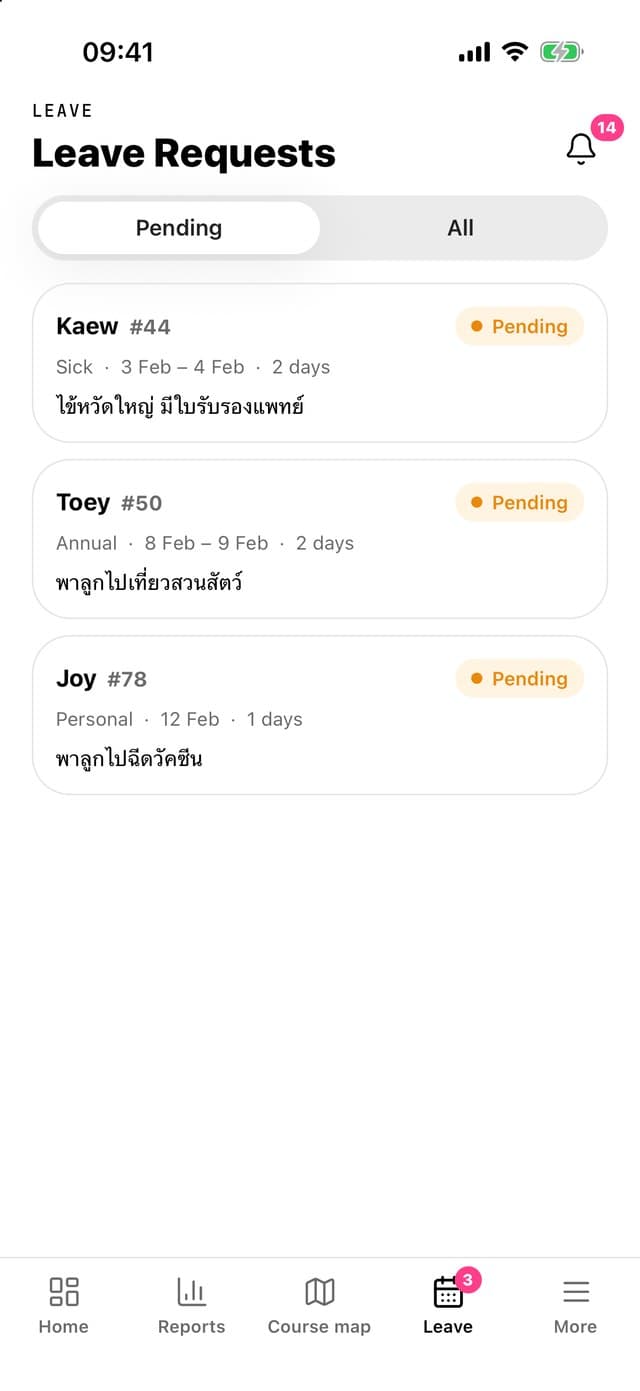
Queue, check-in, shifts, leave and the caddy directory
Front desk
Staff appNo double bookings, no juggling paper books, shorter waits for guests
Walk-in and phone bookings, booking search
Starter
Staff appSee which groups are complete, send out on time, move groups in seconds
Tee sheet, send-out, moving and swapping groups
Marshal
Staff appFind slow groups without driving out; report issues with photos from the spot
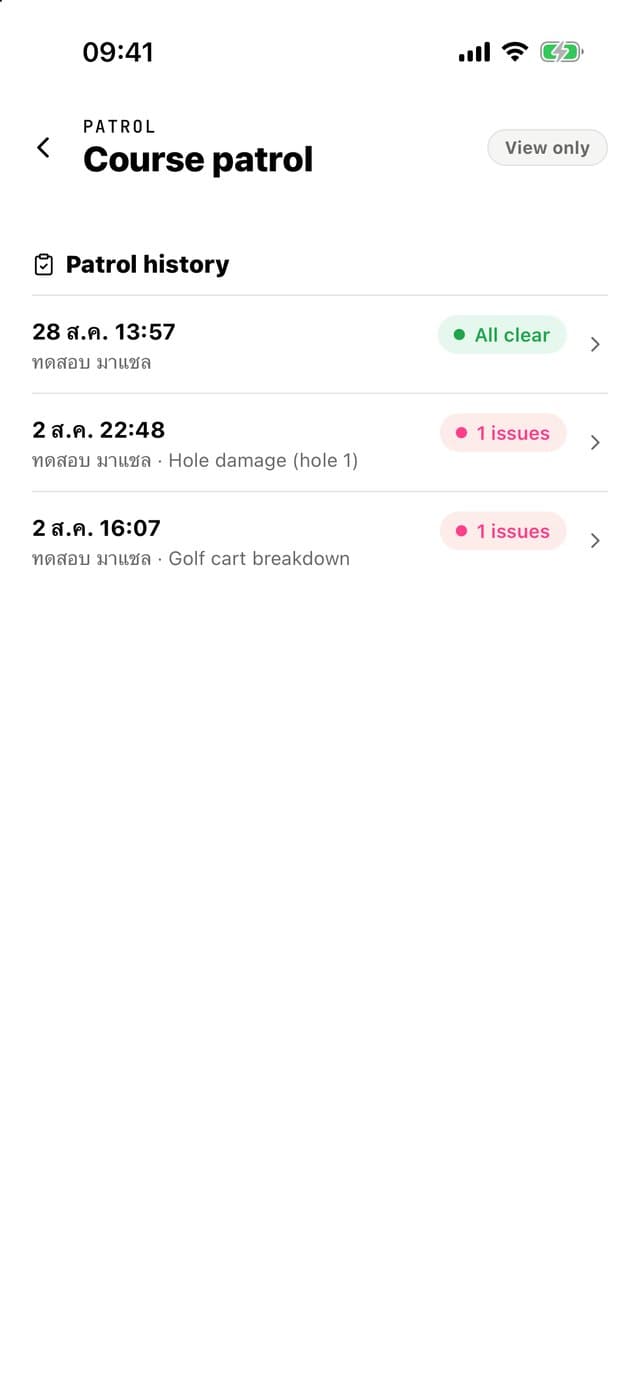
Live course map, slow groups, course patrol and incidents
Caddy
Caddy appA fair queue, a record and rating that follow you, chat with foreign guests
Check-in, jobs, leave requests and chat with golfers
Golfer
Golfer appBook ahead, choose the right caddy, never miss the course entrance
Book a caddy, directions to the course, chat and ratings
From scattered tools to one system everyone sees the same way
Before
With the system
Queue boards and calling out for caddies
An on-screen queue; assign a job and the caddy is notified instantly
A booking book at the counter
Counter and in-app bookings on the same tee sheet
Radios, or driving out to check the course
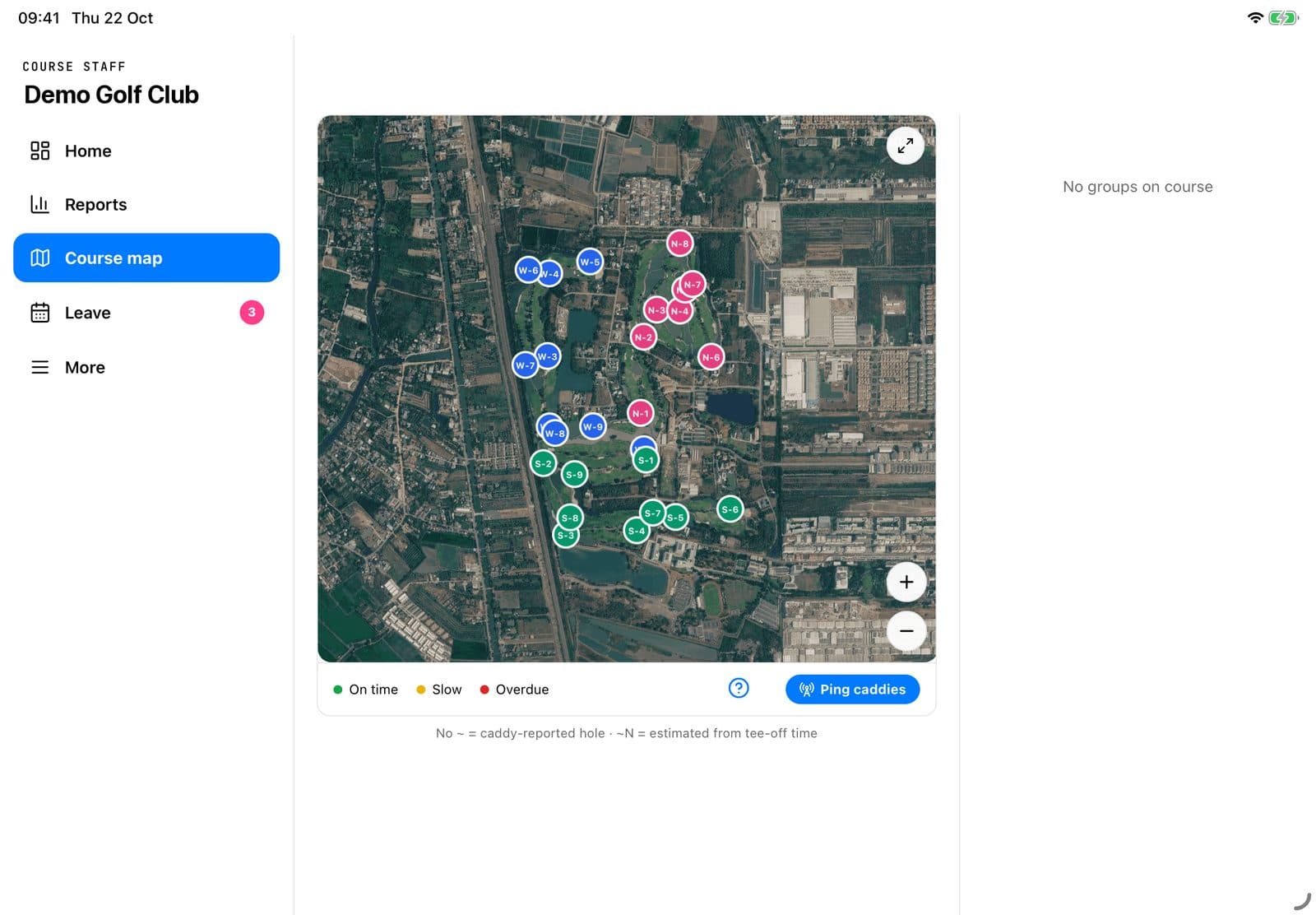
A live course map showing which hole every group is on
Excel rosters, leave slips and LINE groups
Rosters, leave and announcements in the app caddies use every day
Complaints passed by word of mouth
Incident reports with photos, an owner for each, and a full history

Every role sees the same course, in real time.
Caddy master, starter, marshal and owner work from one live picture of the day, on the phones and tablets they already carry.
A day on the course with Caddy Booking
Every moment, from caddy arrival to the end of the golfers' round
05:00
Caddy master
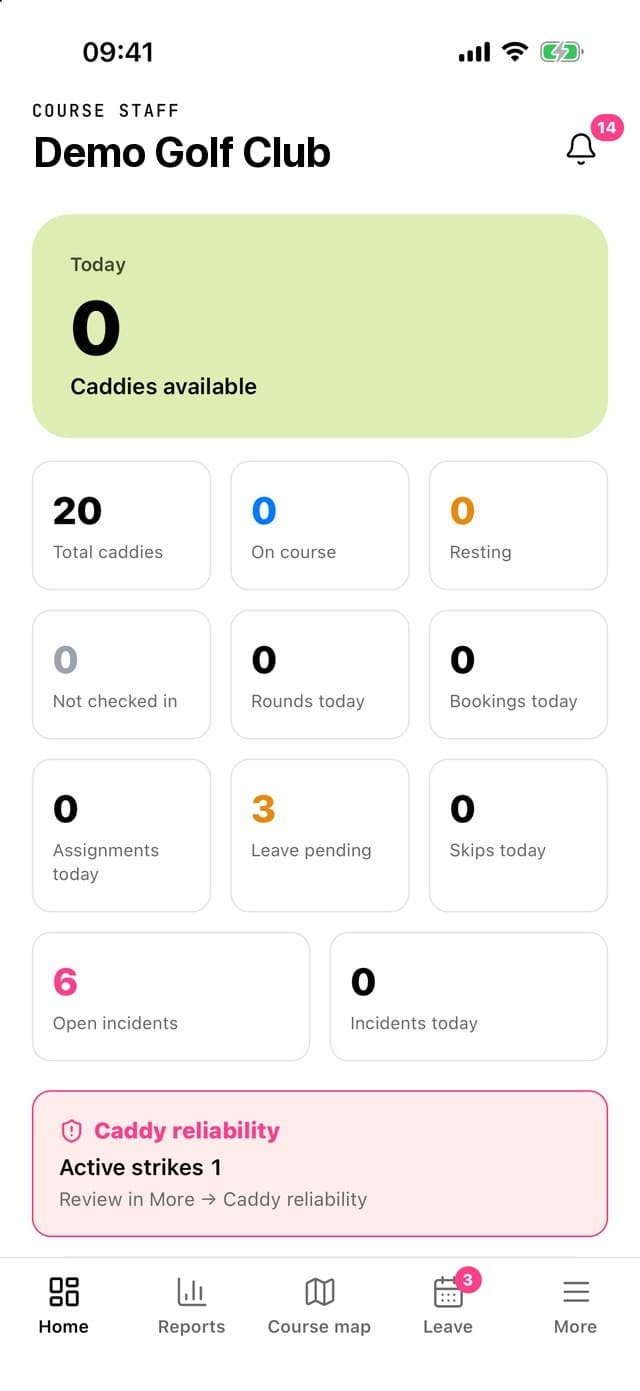
Know instantly which caddies have arrived
Caddies check in from their phones, the system verifies they are on site, and late arrivals are recorded automatically.
05:30
Caddy master
Queue and assign on one screen
The queue follows arrival order. Assign a job and the caddy is notified, with rounds counted fairly for everyone.
06:15
Counter · Starter
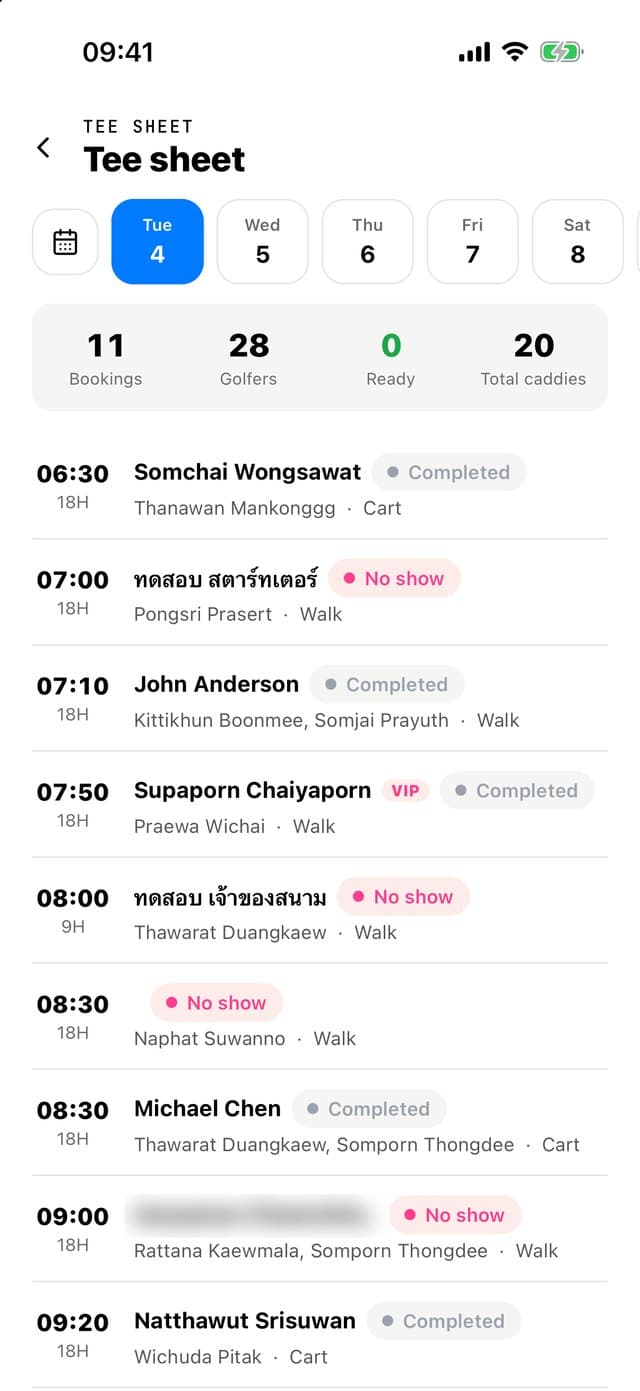
The whole day's tee sheet on one screen
Counter, phone and in-app bookings sit on the same tee sheet, and the system prevents double-booking a caddy.
06:45
Golfer app · Caddy app
Confirm that golfer and caddy have met
Confirmed automatically from both phones' locations, and usable to settle late arrivals and no-shows.
07:00
Starter
Send groups off on actual time
Record the actual tee-off time and starting hole, and reschedule or swap groups in seconds.
08:00
Marshal · Manager
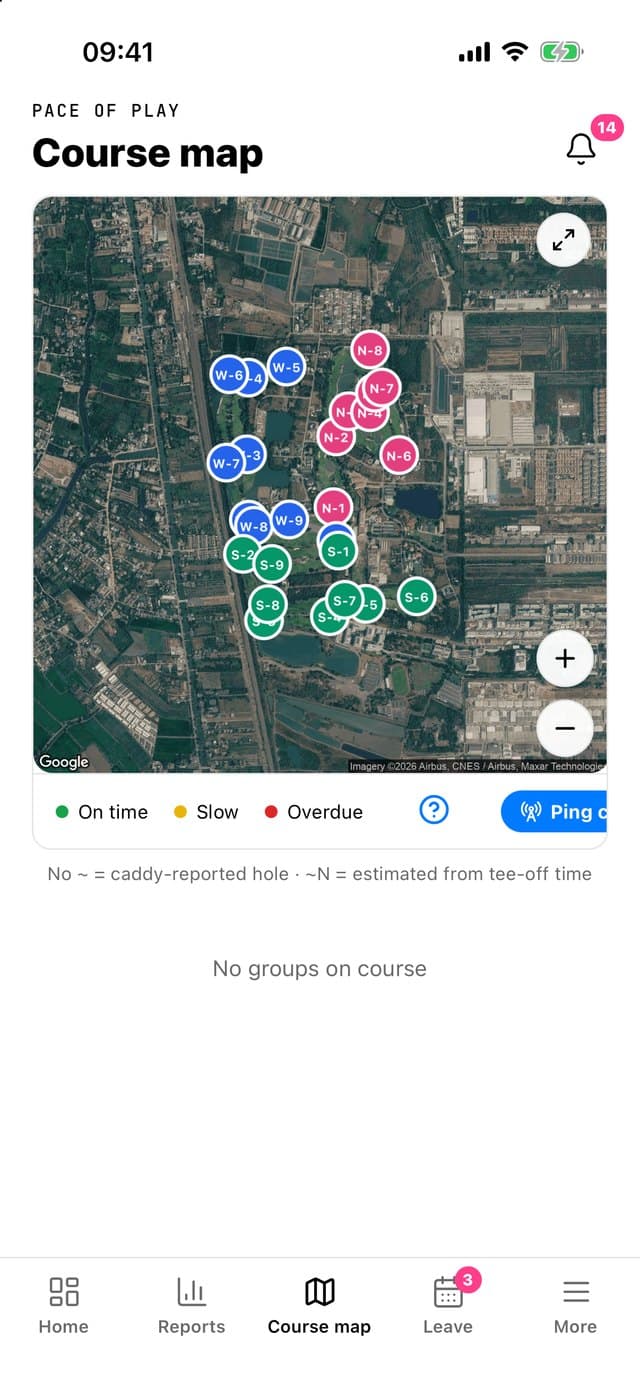
A live course map of every group
Group positions come from caddies' phones and slow groups are highlighted, with no GPS units on golf carts.
09:20
Marshal
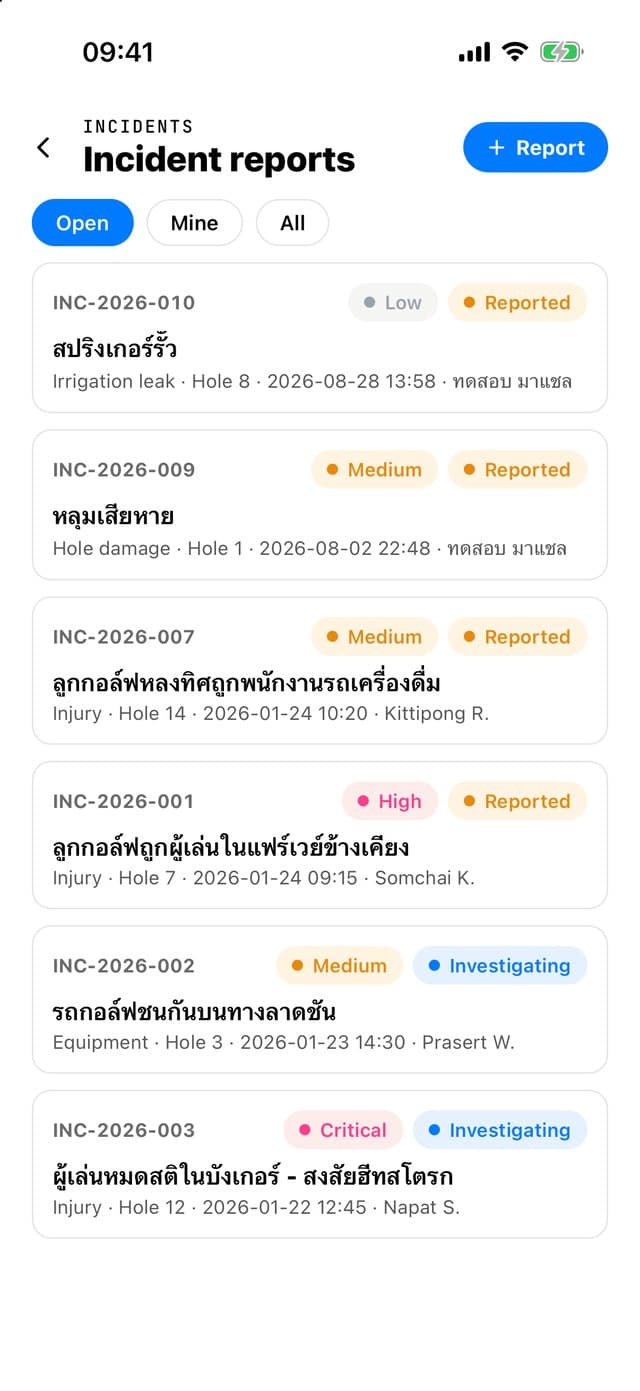
Every incident with photos and an owner
Report incidents with photos from the course, assign who handles them, and see how they were resolved.
12:30
Golfer app
Golfers rate their caddy right after the round
Ratings build each caddy's record, so the course can see who delivers consistently good service.
Behind-the-scenes work the system handles
Onboard new caddies without paperwork
Caddies apply in the app and the course reviews each field, flagging only the fields that need correcting.
See a caddy's history from previous courses
Ratings, rounds played and no-show history, before you decide to hire.
Rosters, leave and no-shows
The course sets its own rules, the system keeps count, and suspensions apply in stages once thresholds are reached.
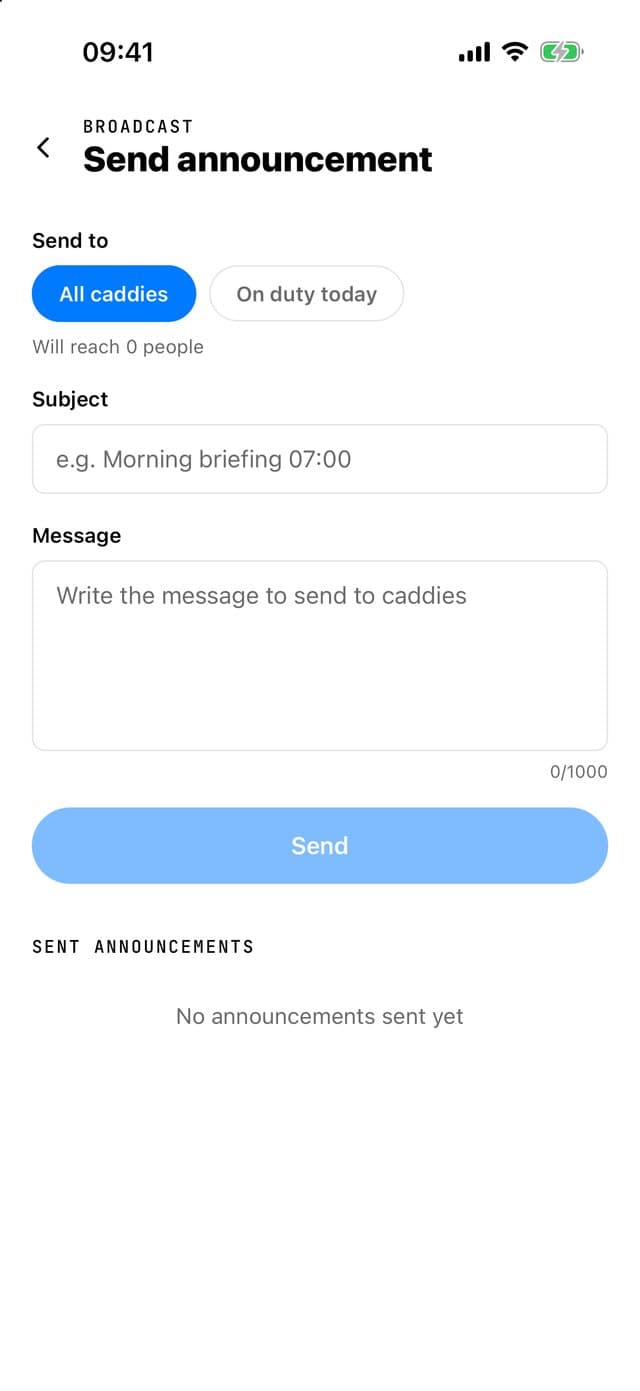
Announcements to every caddy
Write once and send as a notification, in Thai and English in a single message.
Reports for owners
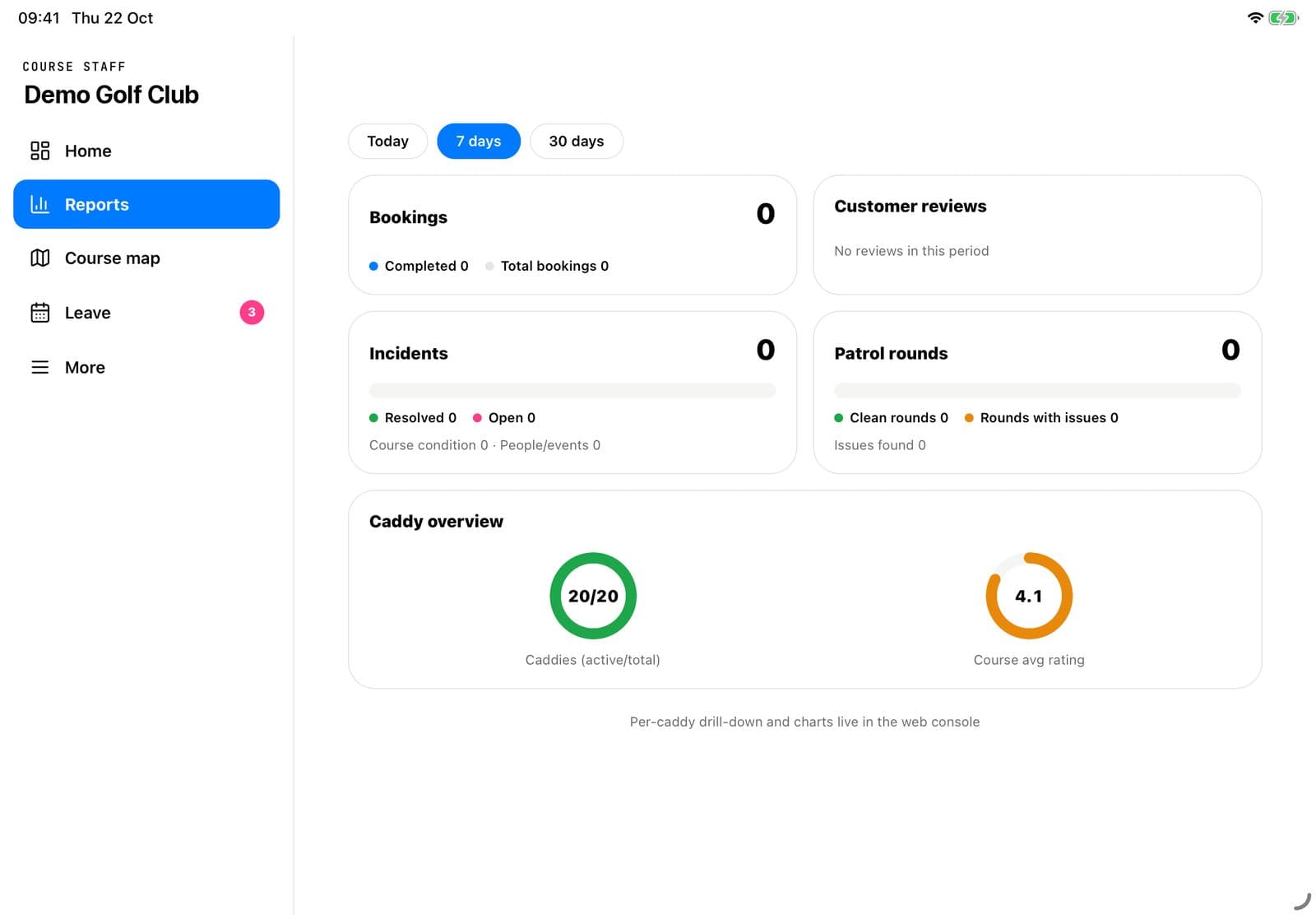
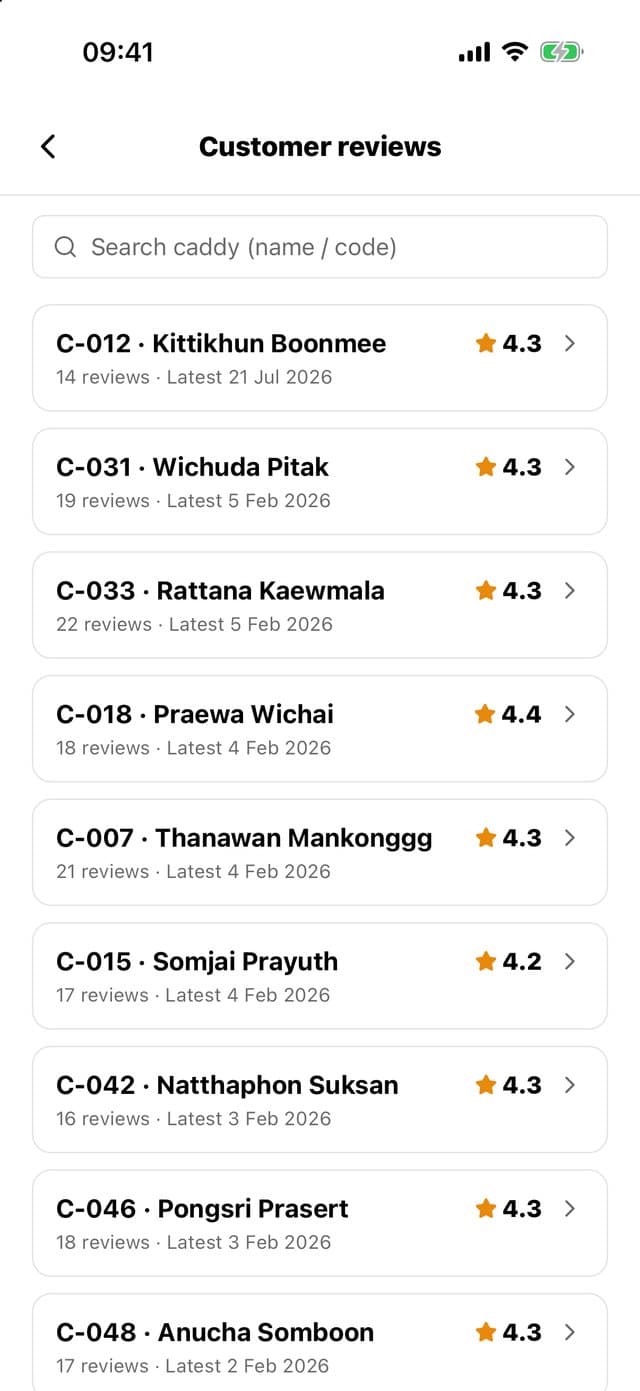
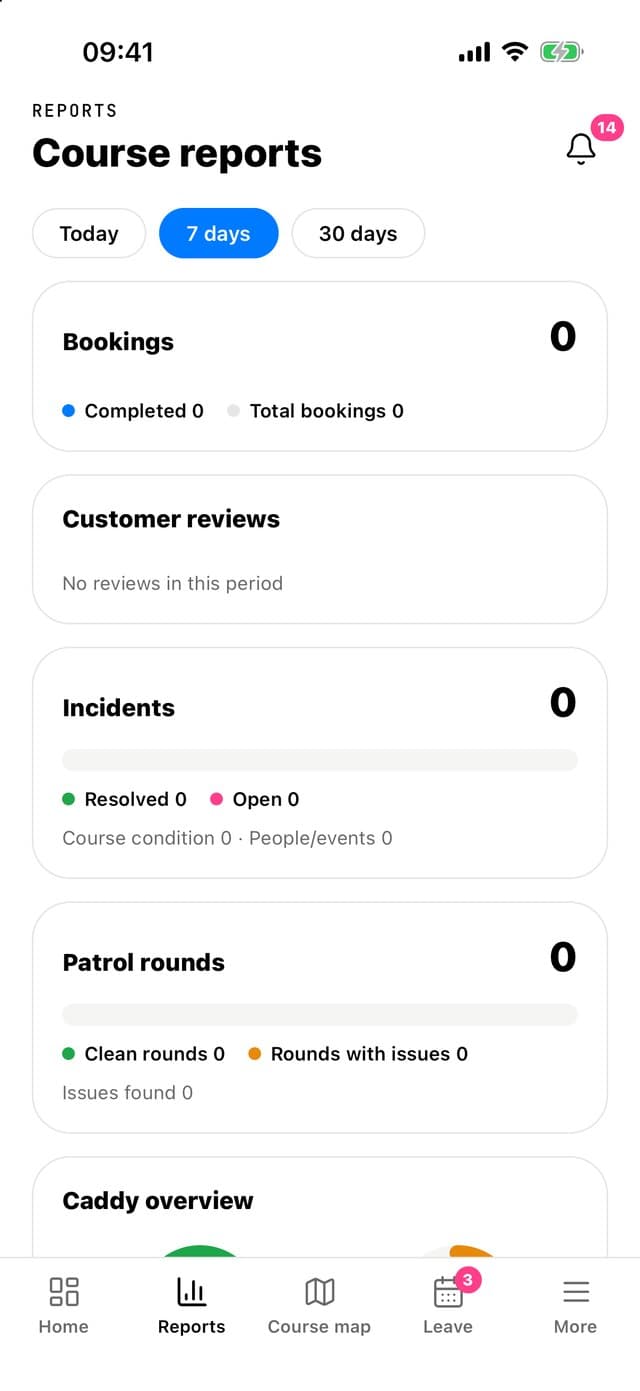
Clear charts, caddy reviews and caddy rankings, viewable on a phone.
Role-based access
Counter, starter, marshal, caddy master, manager and owner each see only their own work.
Your whole team, on their phones
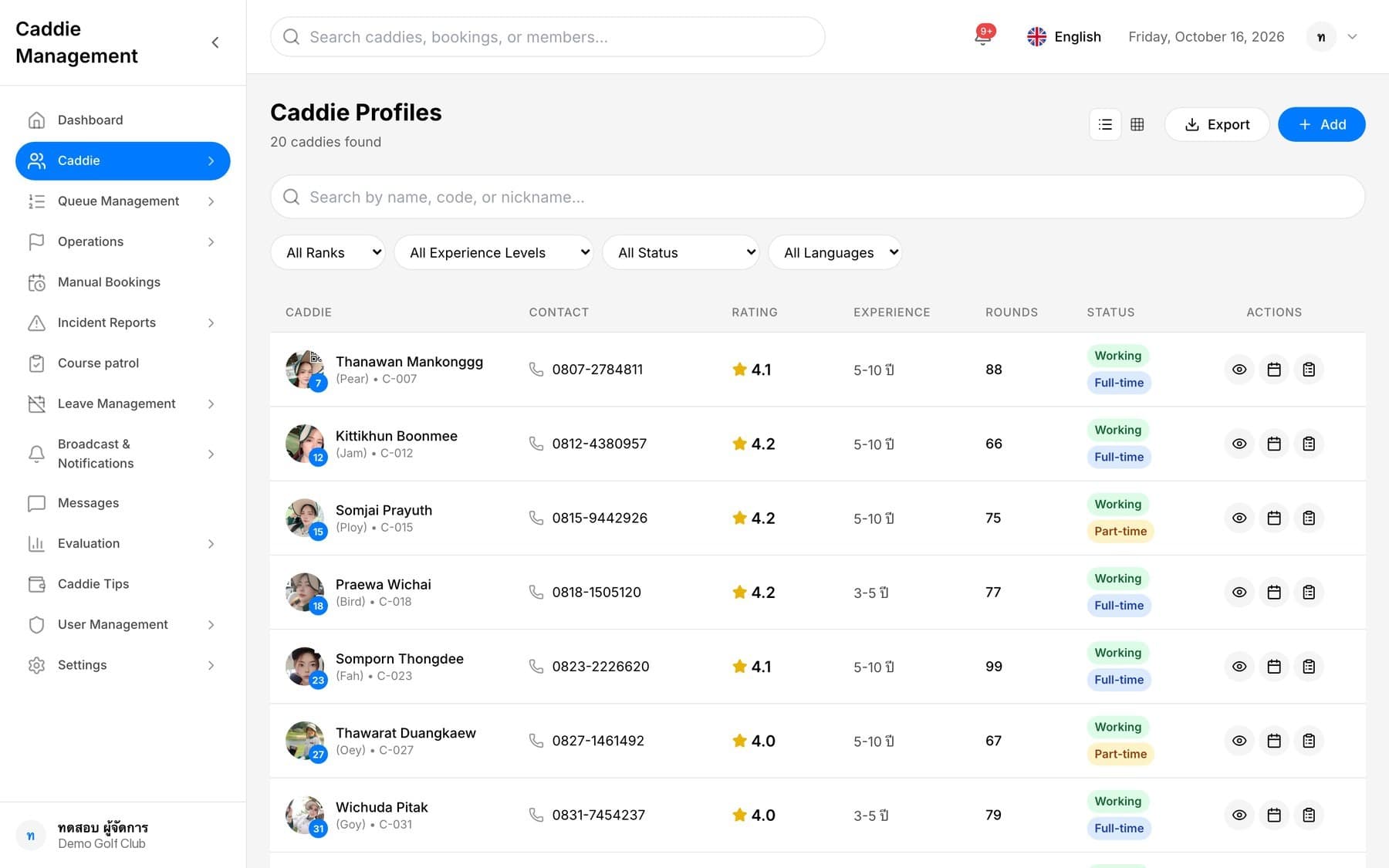
Screens from the staff app. Data shown is from a demo course.
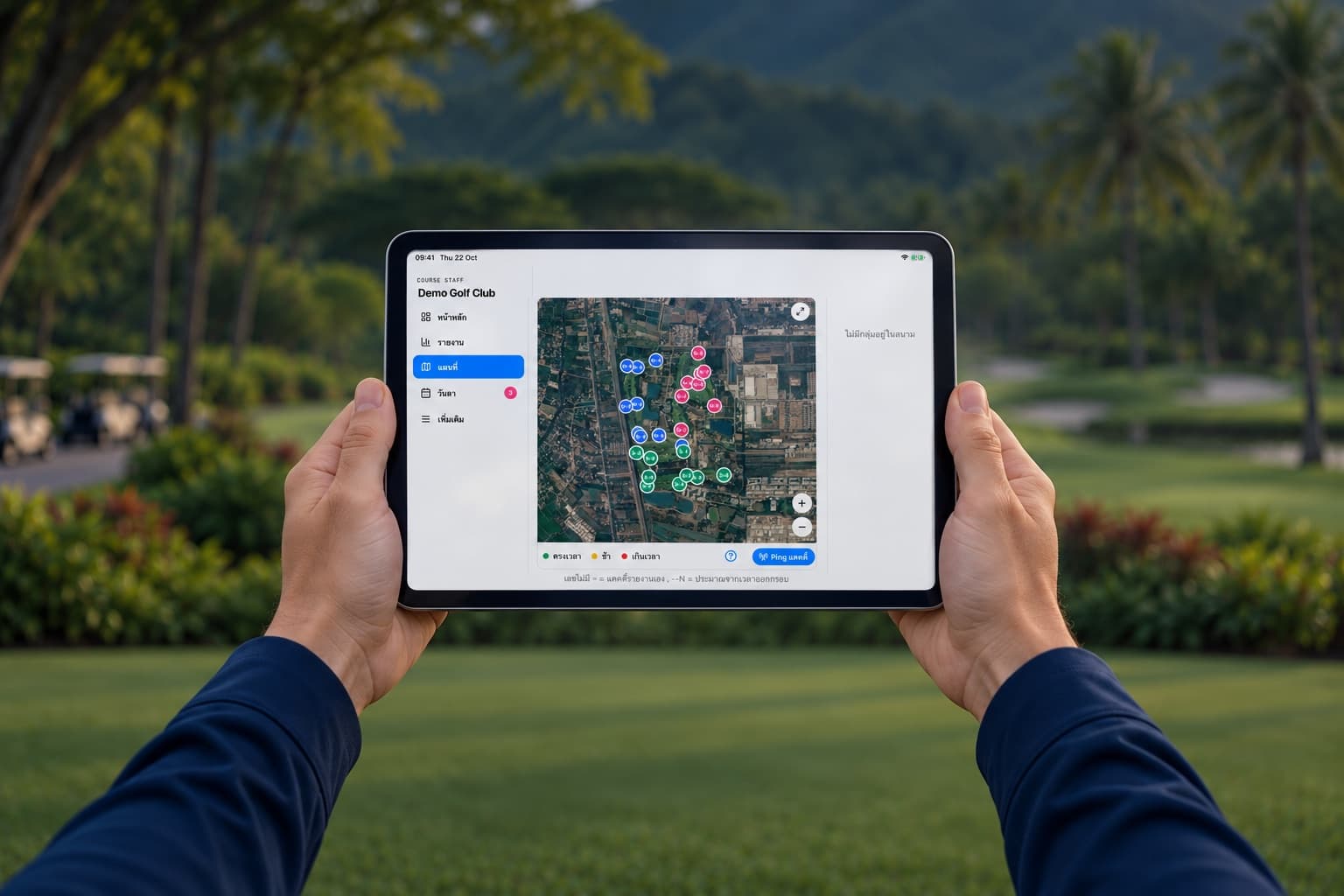
Not a single piece of hardware to buy
Uses the phones your caddies and staff already carry. Install the app and you are ready to start.
Typical golf cart tracking systems
- A GPS unit in every cart
- Equipment to install and maintain
- When a cart breaks down or is swapped, the unit must be moved
Caddy Booking
- Caddies' phones report their position
- Staff use phones or iPad
- Management opens the web from the office computer
Works on every screen
Apps for iPhone, Android and iPad, and a management web console for computers, tablets and phones.
Staff app
iPhone · Android · iPad
Caddy app
iPhone · Android
Golfer app
iPhone · Android · iPad
Management web
Computer · Tablet · Phone
How to get started
Founding course program — our team handles the entire setup
- 1
Course setup
We pin the holes and course entrance, set tee times, and create your staff accounts.
- 2
On-site training
We train each staff role and help caddies install the app until they are up and running.
- 3
Go live
Our team stays with you in the early days and fixes any issues right away.
Founding course benefits
- Help shape the next features with our team
- Priority, hands-on support
- Trial with no fixed time limit
Frequently Asked Questions
Do we have to drop our current way of working?
No. You can start one part at a time, such as the caddy queue and course map first.
What do we need to install?
Just the app on the phones you already have. The web console opens in a browser, and there is no equipment to buy.
Can it follow our course rules?
Yes. The course sets its own rules, such as for late arrivals, no-shows and leave.
Some caddies are not comfortable with apps
The caddy master can manage the queue and record on their behalf, and our team helps train them on site.
Can golfers without the app be served?
Yes. The counter can book rounds and assign caddies for walk-in golfers.
Is our course data secure?
Each course sees only its own data, staff see what their role permits, and caddy documents are stored privately.
What if signal on the course is poor?
The app alerts you when the connection drops, reloads data once it returns, and lets you tap "I’ve met my caddy" yourself.
Can international golfers use it?
Yes. The golfer app is available in 5 languages, and chat with caddies is translated automatically.

Ready to see everything on your course
Tell us briefly about your course, and our team will be in touch to arrange a demo.
Talk to our team →